
Product Design UI/UX
Design products users understand and have real impact
We design user interfaces and experiences that support real product goals. Our work focuses on clarity, usability, and consistency so users adopt the product faster and teams can evolve it with confidence.
 150+ Products Designed
3+ Design Rewards
Ready For Development
150+ Products Designed
3+ Design Rewards
Ready For Development


Our design process
We follow a structured design process focused on usability, clarity, and feasibility. Each step helps reduce uncertainty and ensures design decisions support real product goals.
-
01
Understand users
We analyze users, context, and existing product constraints. This ensures design decisions are grounded in real needs, not assumptions.
-
02
Explore solutions
We explore multiple design directions and evaluate them against usability, business goals, and technical feasibility.
-
03
Design interfaces
We design clear, consistent interfaces that balance usability, accessibility, and visual clarity. Tools support the work, not the other way around.
-
04
Validate early
We create prototypes to test flows and assumptions early. This reduces rework and supports smoother development.


Product Designer
Good product design helps users understand what to do and why it matters. We focus on usability, clarity, and consistency so design decisions translate into real usage, lower friction, and long term product value.
 150+ product designs delivered
Used across multiple industries
Designed for real world usage
150+ product designs delivered
Used across multiple industries
Designed for real world usage
Our design capabilities across the product lifecycle
We cover the design work needed to take digital products from early concepts to production ready interfaces.
How design influences product performance
Well designed products reduce friction, increase clarity, and improve how users interact with a system. The impact shows up across retention, trust, conversion, and engagement when design decisions are aligned with real usage.
- User retention User retention: from 25% to 70%
- Perceived trust Perceived trust: from 30% to 80%
- Userflow completion Userflow completion: from 15% to 100%
- User engagement User engagement: from 40% to 85%


Illustrative comparison based on aggregated industry observations and internal project experience. Results vary by product, market, and execution.
Designers you’ll will enjoy working with
We care about how products look and feel. But more importantly, we care about whether users understand them and teams can build on them.
We design around your product goals, users, and constraints. Decisions are specific to your context, not based on templates.
Design choices are guided by real problems to solve. Creativity supports clarity and usability, not decoration.

We design interfaces that work reliably across devices while maintaining clarity, structure, and usability.

Visual systems are designed to support understanding, hierarchy, and brand consistency across the product.

We design systems that can grow with your product, reducing redesign effort and supporting long term maintenance.
What we build with
We design where development happens next: in Figma, as a design system developers take over directly. Add the tools for images, animation and AI drafts, and for websites and shops the platform your team maintains afterwards.

Figma
Design, clickable prototypes and design system in one file that developers work with too. No substitute for tests with real users.
Case study: App Room
Sketch
If a client keeps their designs in Sketch, we keep working there. New projects start in Figma.

Adobe XD
For existing designs in Adobe XD that we take over and continue. New designs are made in Figma, because Adobe XD is no longer developed.

Adobe Photoshop
For image editing, cut-outs and mockups. For logos and icons we use vectors from Illustrator or Figma.

Adobe Illustrator
For logos, icons and illustrations as vectors that stay sharp at any size. For screens and prototypes we work in Figma.

Adobe After Effects
For animations and explainer videos, for example for websites and social media. For simple transitions in the app, an animation in code is enough.

Adobe Firefly
For AI image ideas and image extensions with clear usage rights. We check and edit the final visual by hand.

Midjourney
For moodboards and visual ideas at the start of a project. For final brand images we check rights and style before anything goes live.

Google Stitch
For quick AI drafts of screens to compare ideas early. The final design is made in Figma, aligned with your design system.

Shopify
For brand shops whose content your team maintains without developers. For very specific shop processes, Shopware 6 is more flexible.
Case study: Unico Swiss
WordPress
For brand websites your team fills with content itself. For an interface with app features, we build a dedicated web app.
Case study: Die Friedliche GeburtUsing AI to support design decisions
We use AI where it helps us analyze, explore, and validate design ideas faster. Decisions remain human led and grounded in product goals.

AI in a product needs its own design. Answers with sources, a clear hand-over to people: this is how we plan and build AI solutions that take real work off your plate.

 More Impact
 More Insights
 Faster & More Efficient
Selected product and design work
These projects show how we approach design in real product contexts. Each example highlights decisions, constraints, and outcomes that mattered for users and the business.
 Strategy
 UI/UX
UI/UX
 Website
 Mobile App
 Back-End
 Admin
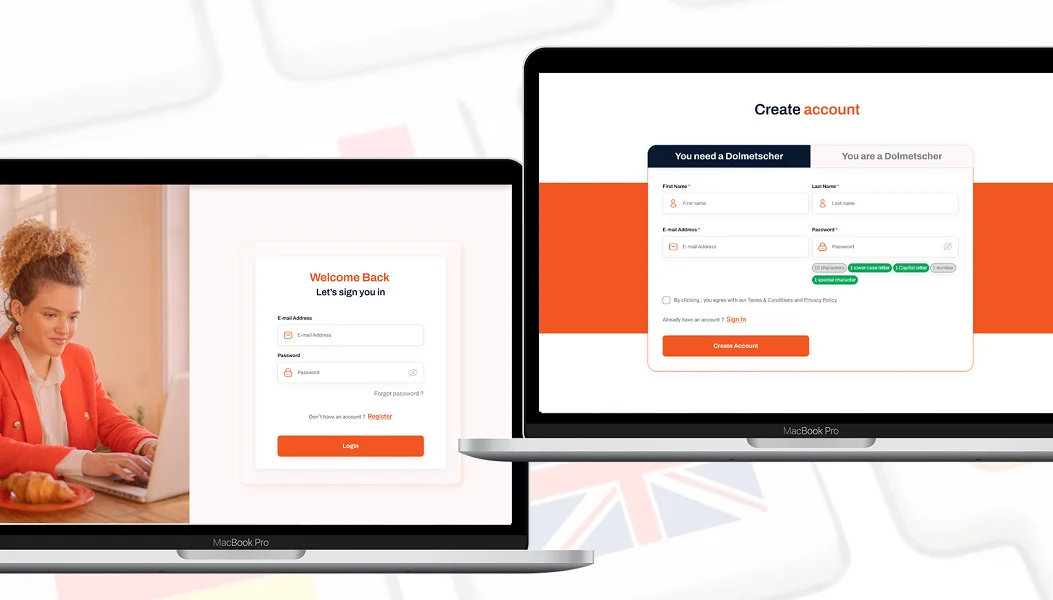
Dolmetsche.ch - A Full-Stack Translation Service IT Solution
Admin
Dolmetsche.ch - A Full-Stack Translation Service IT Solution
 Xhafer Shala
Founder & CEO, Dolmetsche.ch GmbH
Dolmetsche.ch was created to make professional interpreting services more accessible and efficient across Switzerland.Government institutions, courts, and organizations often struggle to find suitable interpreters quickly, especially in sensitive contexts such as refugee aid or legal proceedings.The idea was to build a centralized platform that connects qualified interpreters with organizations and private clients, reducing coordination effort while ensuring quality and reliability.
50+
interpreters onboarded
Read case study
Xhafer Shala
Founder & CEO, Dolmetsche.ch GmbH
Dolmetsche.ch was created to make professional interpreting services more accessible and efficient across Switzerland.Government institutions, courts, and organizations often struggle to find suitable interpreters quickly, especially in sensitive contexts such as refugee aid or legal proceedings.The idea was to build a centralized platform that connects qualified interpreters with organizations and private clients, reducing coordination effort while ensuring quality and reliability.
50+
interpreters onboarded
Read case study
 Strategy
UI/UX
Website
Back-End
Admin
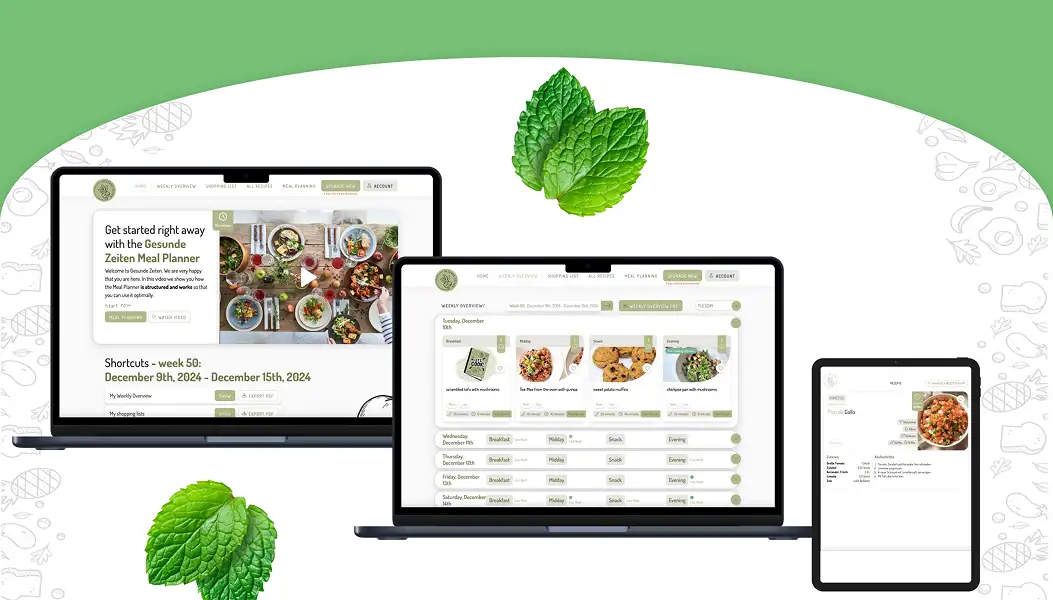
Gesunde Zeiten - Simplifying Meal Planning for Families
Strategy
UI/UX
Website
Back-End
Admin
Gesunde Zeiten - Simplifying Meal Planning for Families
 Elsa Beerbaum
CEO & Founder, Gesunde Zeiten
Meal planning for families is often a demanding responsibility, especially for mothers who must balance allergies, dietary preferences, shared meals, leftovers, and limited time. What should support healthy living quickly becomes a daily source of stress. At the same time, balanced nutrition is essential for well-being and productivity, making this challenge impossible to ignore.Our partner's idea was to ease this burden by creating a smart meal planner that supports families in organizing their weekly meals in a realistic and structured way. Through an individual and detailed configuration, the system considers the needs of each family member while significantly reducing daily cooking effort. The goal was to enable healthy, varied nutrition without turning food planning into a constant mental load.Realizing this idea required deep nutritional expertise, real experience as a mother, and the ability to translate both into a simple and intuitive digital solution. Together with our partner, we combined domain knowledge and technical responsibility to transform an initial vision into a reliable and high quality product that genuinely supports families in their everyday routines.
50+
subscriptions in 2 months
Read case study
Elsa Beerbaum
CEO & Founder, Gesunde Zeiten
Meal planning for families is often a demanding responsibility, especially for mothers who must balance allergies, dietary preferences, shared meals, leftovers, and limited time. What should support healthy living quickly becomes a daily source of stress. At the same time, balanced nutrition is essential for well-being and productivity, making this challenge impossible to ignore.Our partner's idea was to ease this burden by creating a smart meal planner that supports families in organizing their weekly meals in a realistic and structured way. Through an individual and detailed configuration, the system considers the needs of each family member while significantly reducing daily cooking effort. The goal was to enable healthy, varied nutrition without turning food planning into a constant mental load.Realizing this idea required deep nutritional expertise, real experience as a mother, and the ability to translate both into a simple and intuitive digital solution. Together with our partner, we combined domain knowledge and technical responsibility to transform an initial vision into a reliable and high quality product that genuinely supports families in their everyday routines.
50+
subscriptions in 2 months
Read case study
 Strategy
UI/UX
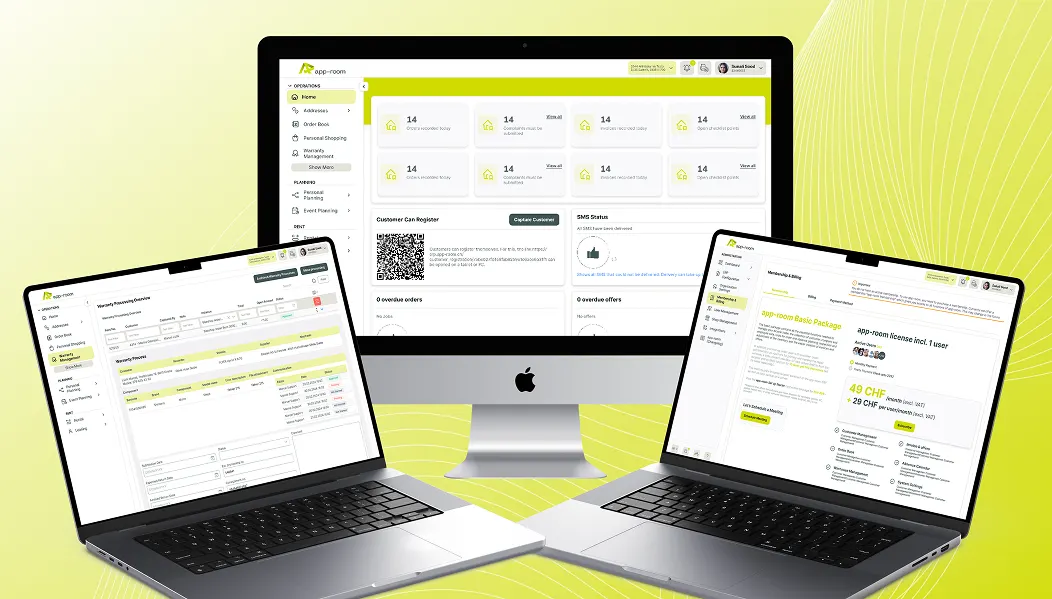
App Room - #1 Bicycle ERP of Switzerland
Strategy
UI/UX
App Room - #1 Bicycle ERP of Switzerland
 Cindy Essl
CEO, app-room GmbH
App Room is the leading ERP provider for bicycle retailers in Switzerland, supporting both small shops and large chains in managing inventory, sales, planning, and administration. As the product evolved over eight years, the interface no longer reflected modern expectations or the company's new brand identity. The goal was to redesign the ERP to reflect current design standards, incorporate user feedback, and create a maintainable design foundation without losing any functional depth.
25%
less support effort
Read case study
Cindy Essl
CEO, app-room GmbH
App Room is the leading ERP provider for bicycle retailers in Switzerland, supporting both small shops and large chains in managing inventory, sales, planning, and administration. As the product evolved over eight years, the interface no longer reflected modern expectations or the company's new brand identity. The goal was to redesign the ERP to reflect current design standards, incorporate user feedback, and create a maintainable design foundation without losing any functional depth.
25%
less support effort
Read case study
 Strategy
 Shopware 6
 E-Commerce
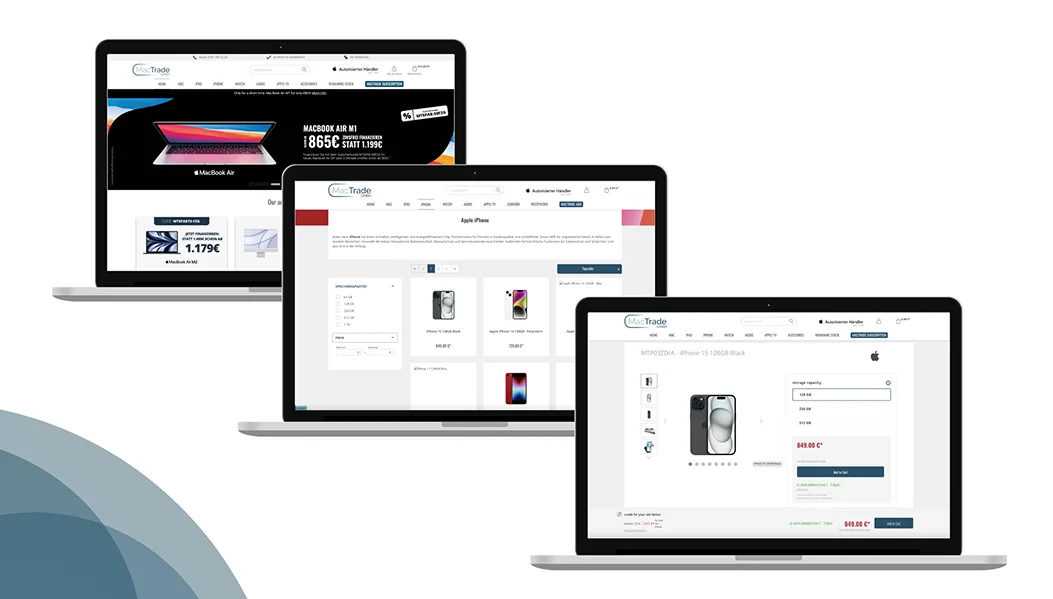
MacTrade - Shopware Shop For Leading German Apple Retailer
E-Commerce
MacTrade - Shopware Shop For Leading German Apple Retailer
 Ludwig Krayl
Product Manager, MacTrade Computerhandelsgesellschaft mbH
MacTrade is Germany's largest official Apple retailer, offering a comprehensive range of Apple devices, accessories, and related services.The existing ecommerce platform needed to be migrated to Shopware 6 to support future growth, modern ecommerce standards, and complex pricing models such as corporate benefits and student programs.The goal was to build a robust, flexible online shop that could serve private customers, students, and corporate buyers within a single ecosystem.
25%
revenue increase
Read case study
Ludwig Krayl
Product Manager, MacTrade Computerhandelsgesellschaft mbH
MacTrade is Germany's largest official Apple retailer, offering a comprehensive range of Apple devices, accessories, and related services.The existing ecommerce platform needed to be migrated to Shopware 6 to support future growth, modern ecommerce standards, and complex pricing models such as corporate benefits and student programs.The goal was to build a robust, flexible online shop that could serve private customers, students, and corporate buyers within a single ecosystem.
25%
revenue increase
Read case study
 STRATEGY
UI/UX
MOBILE APP
BACK-END
ADMIN
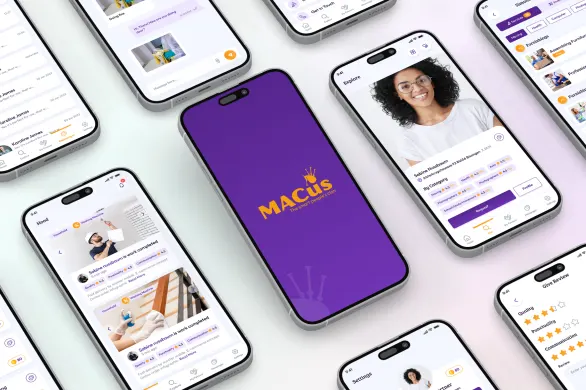
MACus - The First Social Community Beyond Money
Victoria Fux
CEO & Founder, MACus
MACus was founded on the belief that digital platforms should bring people closer instead of commercializing every interaction. The goal was to create a social economy where money plays a secondary role and people help each other through favors. Users exchange services or goods based on trust and reciprocity, using MACus Coins only as an internal balance mechanism rather than real currency. The vision was to revive a sense of community and cooperation in a digital world dominated by transactions.
4.9+
stars App Store rating
Read case study
STRATEGY
UI/UX
MOBILE APP
BACK-END
ADMIN
MACus - The First Social Community Beyond Money
Victoria Fux
CEO & Founder, MACus
MACus was founded on the belief that digital platforms should bring people closer instead of commercializing every interaction. The goal was to create a social economy where money plays a secondary role and people help each other through favors. Users exchange services or goods based on trust and reciprocity, using MACus Coins only as an internal balance mechanism rather than real currency. The vision was to revive a sense of community and cooperation in a digital world dominated by transactions.
4.9+
stars App Store rating
Read case study
 STRATEGY
UI/UX
BACK-END
ADMIN
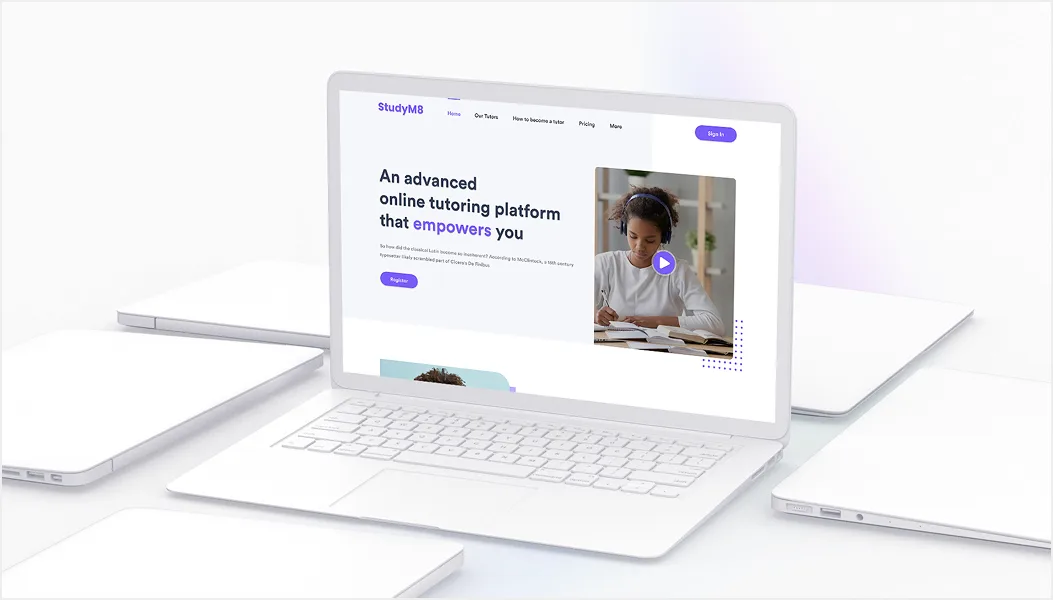
StudyM8 - Online Tutoring Made Accessible
Ali Daher
CEO, StudyM8 Learning
Finding suitable tutors can be time consuming and frustrating, especially when local availability is limited and learning outcomes remain unclear.This challenge became personal when one of the founders struggled to find effective tutoring for their child.The idea behind StudyM8 was to remove geographic limitations and replace fragmented tutoring processes with a transparent online platform.The goal was to enable students to receive targeted support, allow tutors to teach effectively online, and give parents visibility and control over learning progress, all within one accessible digital solution.
Tutor access simplified
Read case study
STRATEGY
UI/UX
BACK-END
ADMIN
StudyM8 - Online Tutoring Made Accessible
Ali Daher
CEO, StudyM8 Learning
Finding suitable tutors can be time consuming and frustrating, especially when local availability is limited and learning outcomes remain unclear.This challenge became personal when one of the founders struggled to find effective tutoring for their child.The idea behind StudyM8 was to remove geographic limitations and replace fragmented tutoring processes with a transparent online platform.The goal was to enable students to receive targeted support, allow tutors to teach effectively online, and give parents visibility and control over learning progress, all within one accessible digital solution.
Tutor access simplified
Read case study
What our partners say
Our partners share their experience working with us.














 (5.0)
(5.0)
The UX work significantly improved user guidance and visual consistency across our ERP. Vitec demonstrated strong UX competence, reliability, and a clear understanding of our requirements from the first iteration onward.